If there is one thing I really don’t like to hear is any sound when I am starting up the computer. Windows Vista doesn’t allow you to customize the startup sound and you are stuck with the same version. Well, I chose to disable it.
And here is how you do it:
1. Right click on an [...]
Continue reading about Disable Windows Vista Startup Sound (Tutorial Thursday)
Long back, I covered a quick method of disabling User Access Control in Windows Vista via editing the registry. Registry editing is something for advanced users only.
TweakUAC is a simple tool dedicated for this purpose. With a click of a button you can disable Windows Vista User Access Control.
You have three options in TweakUAC. The [...]
Continue reading about Disable annoying Vista UAC popups (Windows Wednesday)
In DIY File Index, Tim Fehlman teaches out to create your very own file index using a simple command prompt to create an index of your entire computer and then search for files. Can somebody convert this into a tiny program?
Having installed Windows Vista SP1, the probablity of you removing it is rather bleak. However, when you install SP1, Vista gives you the provision of removing it, in case you choose to do so in the past.
This is done, by keeping the old files that were replaced by the SP1 update. You can choose to [...]
Continue reading about Making Windows Vista SP1 permanent (Windows Wednesday)
In Free Windows Software Alternatives, Jason, a guest blogger at Quick Online Tips, has covered a huge list of alternatives for software that is bundled with Windows including Internet Explorer, Windows Media Player etc.
Without doubt a really hilarious look at the market shares of various Operating Systems.
Source: HorwardDarkes.com
Windows Vista® Performance and Tuning is a guide from Microsoft that focuses on performance improvements on a single computer running Windows Vista, but also takes a look at some of the tools used in enterprise environments to help make performance tuning manageable on a much larger scale.
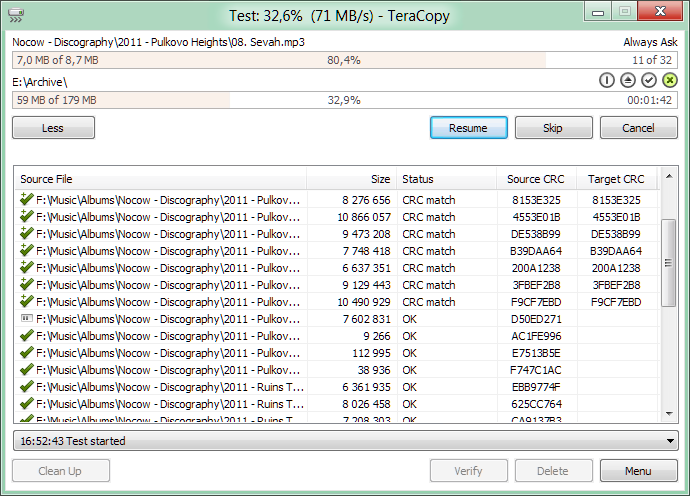
7 Super Tools For Faster Windows File Copy / Move Process takes a look at five freeware and two shareware programs that will help speed up the copying / moving files. Extremely useful when you are moving tonnes of large files.
Continue reading about 7 Super Tools For Faster Windows File Copy / Move Process
I came across Vista’s new Hybrid Sleep feature yesterday when I was busy.
What is Hybrid sleep?
Hybrid sleep is a low-power sleep state that can help protect your open programs and documents while your computer sleeps.
If hybrid sleep is turned on when you put your computer to sleep, Windows saves your open documents and programs [...]
One of the new additions in Windows Vista is the new Preview Pane.
The Preview Pane can be activated in Explorer by navigating to Organize » Layout » Preview Pane.
Using the Preview Pane you can browse readable views of various documents or, with media files, preview a few seconds of content.
This becomes extremely useful if you [...]
Continue reading about Tip Thursday: Preview Pane in Windows Vista