
Extend Battery Life on Vista with AeroFoil
One of the major reasons I detest Windows Vista is because of the magnanimous bloat that it carries around as “necessary” default “features.” While this bloat has a tendency to annoy on desktop PC’s (e.g.
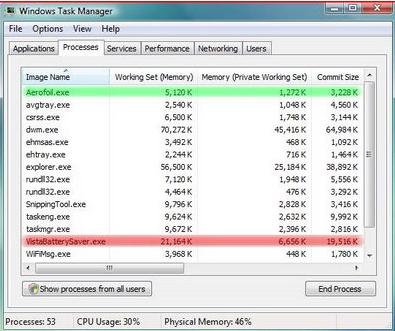
One of the major reasons I detest Windows Vista is because of the magnanimous bloat that it carries around as “necessary” default “features.” While this bloat has a tendency to annoy on desktop PC’s (e.g.
Service Pack 2 Release Candidate for Windows Vista and Windows Server 2008 are now available for download to TechNet and MSDN subscribers to test prior to final release. SP2 for Windows Vista and Windows Server 2008 include updates that have been delivered since the release of SP1, as well as support for new types of hardware and emerging standards. SP2 weighs in at a sizable 302MB for x86 systems and 508MB for 64-bit operating system versions of Windows Vista.
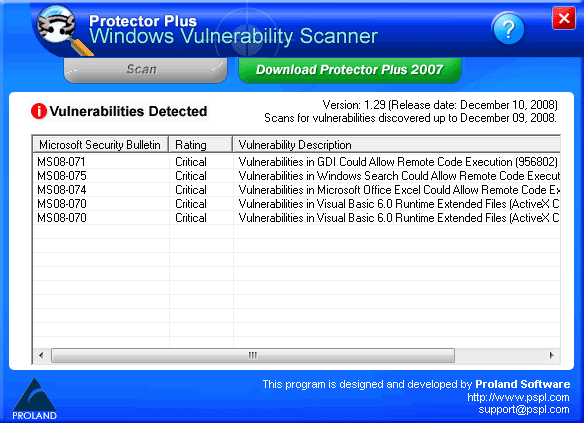
Protector Plus – Windows Vulnerability Scanner checks your system for Windows Vulnerabilities. It guides you to update with the right patch to make your system secure. This program is updated once a month to detect all the vulnerabilities discovered.
If you are using Windows, the number of shortcuts that Windows presents you is phenomenal. You even have the option to create your own shortcuts to launch applications. Here are ten shortcuts that can improve productivity: Windows Key + R Open the Run window Windows Key + F Open the search window Windows Key + E Open Windows Explorer Windows Key + 1, 2, …
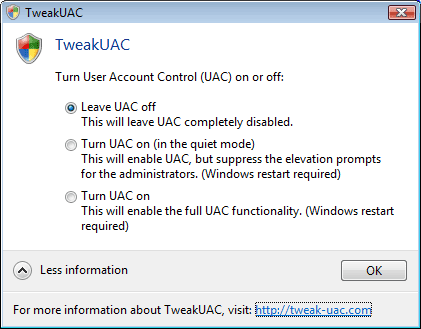
Long back, I covered a quick method of disabling User Access Control in Windows Vista via editing the registry. Registry editing is something for advanced users only. TweakUAC is a simple tool dedicated for this purpose.

Having installed Windows Vista SP1, the probablity of you removing it is rather bleak. However, when you install SP1, Vista gives you the provision of removing it, in case you choose to do so in the past. This is done, by keeping the old files that were replaced by the SP1 update.
Less than a month after Trend Micro discovered Vista flaws being sold off for $50,000 in the underground market by hackers, VeriSign’s iDefense Labs has placed an $8,000 bounty on remote code execution holes in Windows Vista and Internet Explorer 7. This is part of its three-year old Vulnerability Contributor Program which compensates individuals who provide iDefense with advance notification of unpublished vulnerabilities and/or exploit code. 3Com’s Zero Day Initiative is a similar program.