Speed up your site with Scriptalizer.com
Aren’t we all trying very hard to speed up our websites. You’ll find several tips to speed up your site, but one thing that really works is using a single CSS and a single JS.
Whenever you have multiple CSS and JavaScript files, to download each file, your browser makes a separate request to the web server for each of these files. This entire process increases the time to load your file. Hence, by converting all the CSS files to a single file and all the JS files to a single file, you cut down the number of requests.
This is where Scriptalizer.com comes in.
What does it do?
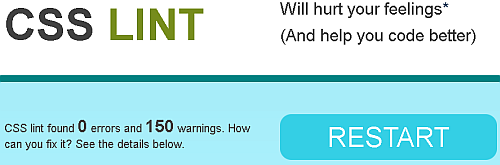
Turn this…
Into this…
Using Scriptalizer.com is really simple. All you need to do is upload your JS and CSS files to Scriptalizer and it will combine these into a single JS and a single CSS file respectively.
As an additional feature, it even minifies the resultant JS and CSS file to further reduce the total file size. Thus, the resultant is an extra speed boost to your site.
Sadly, the problem is that you need to upload your files, which is a manual process. So, it won’t work automatically with all the files on your site. However, on the plus side is that you need to do this only once.
Via: Andy Jarrett
About Ajay
A die-hard blogger, web developer, biker, singer, geek, non-stop talker, foodie, movie freak are just some of the words that begin to describe me.
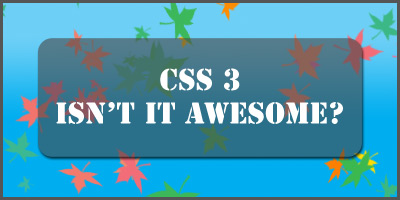
CSS 3 – Making our life easier, one line of code at a time…

There are plenty of articles out there written by great CSS masters that will tell you about what’s, why’s and who’s of CSS. So if you want an in-depth analysis of CSS you’d better off reading an article by Eric Meyer or by some of the other CSS greats out there.
This article is about bringing you up to speed with CSS 3 and how it makes the life of an average graphic designer who has to deal with css on a daily basis, easier.
In truth, I’m no CSS wizard. My CSS programming skills are just a little better than average, at best. I have no problems with converting a design into basic html and CSS and can even hack it for IE6, but that’s about it.
However, CSS 3 has made life a lot easier for most of us designers. And hopefully with the introduction of IE 8, IE 6 will gracefully go to its resting place and the internet will become a better place.
Here are some of the features of CSS 3, for more information you can always check out w3schools or css3.info.
- You can now have rounded corners without having to use images. This is by far the most exciting feature of css 3, for me. You now don’t have to worry about creating images for all the rounded corners in your design. You can just program it in.
- You can now have multiple background images for a single element. You no longer require multiple divs just for your backgrounds; you can have different images separated just by commas.
- You can now have an image as a border. That’s right; you can now use an image as a border style. This should definitely make for some interesting designs.
- You can now adjust the transparency of your images or elements using CSS. You no longer have to create transparent gifs or pngs to place in your design. Not to mention, soon enough you won’t have to write a separate style sheet for IE6 to fix your transparent pngs.
- You can now use a drop shadow effect using CSS. This has to be one of the coolest features of CSS 3. Being able to use a drop shadow effect just using a couple of extra lines of code is so much easier than rendering your images, slicing them up and then worrying about how your pngs will display in different browsers.
And finally,
- You can use custom fonts in your design and have css call the font in from an online font directory using @Font-Face. This will make for some new an interesting designs and sites. You’re no longer restricted to that handful of fonts that are used all over the internet.
Some downsides: Not to spoil everyone’s fun, but as things stand right now, not all of the new CSS 3 features are supported by all the browsers. For the IE users, most of these features will work only with IE 8. Even for the others, there’s still a short wait until all browsers are CSS 3 compliant.
Not to mention, with all these new features there’s a chance that people will overuse the preset effects.
To quote Chris Spooner from the popular BlogSpoonGraphics,
Just as is done with traditional Photoshop filters, the use of these new styling features could result in some eye-wrenching designs. Drop shadows in particular ring warning bells for us; we’re not looking forward to seeing the Marketing Department’s choices with that one!
About Nikhil
I'm a 23 year old Web & Graphic designer, currently living in Mumbai, India. Most of my time is spent on the internet browsing through new ways and means of betting myself at what I like to do. As a big guitar enthusiast, I enjoy listening to a lot of Blues, Jazz and a few select rock and roll bands. Classical, if I'm in the mood.
Remember your favorite colors with Color Archiver
I’m a big fan of tiny utilities that are designed for one purpose to do what they promise to do without eating up a tonne of your bandwidth to download and use.
Color Archiver is one such utility. Developed by Priya Ranjan, Color Archiver allows you to pick and save colors and thereby create a color palette. You can then quickly browse and select these colors for your future usage.

Color Archiver becomes a perfect tool when you are designing your website and / or working with CSS files.
It also includes a search feature to help you find colors by name thus finding those already existing ones.
About Ajay
A die-hard blogger, web developer, biker, singer, geek, non-stop talker, foodie, movie freak are just some of the words that begin to describe me.
Tool Tuesday: Optimize your CSS with CleanCSS
CSS (Cascading Style Sheets), a very effective thing for a site / blog these days. They give you the chance to be completely consistent with the look and feel of your pages, while giving you much more control over the layout and design than straight HTML ever did.
The speed of your site also depends on your CSS, the complex the code, the slower is the site. Using repeated tagsTo make your site without loosing any CSS juice, you will need to optimize your CSS, make it simple and clean.
margin-top: 10px;
margin-right: 20px;
margin-bottom: 10px;
margin-left: 20px;
This is sometimes the default code style generated by softwares and even written by coders. But isn’t it too much heavy? How about trying this which is a optimized code instead of the above code:
margin: 10px 20px 10px 20px;
But on a part it is impossible to find all the silly errors in a CSS file of any theme. So for that there is a website / tool called CleanCSS.

CleanCSS optimizes the code, merge similar selectors, remove whitespace, remove useless properties etc. The interface of the website is also very easy, just paste your CSS in the box given, select the properties you want to clean, click the Process CSS button and bingo! It will find all errors and unnecessary things from your CSS and will remove it and will give you a error-free optimized CSS. You can even check that is your CSS valid or not ( I’m sure your CSS will be valid after being processed by CleanCSS
).
Note : Hi, My name is Rishi and I am thankful to Ajay for giving me the opportunity to blog @ Techtites. I maintain a tech blog and call it Rishiraj. I hope that you will like my posts over here and the once already @ Rishiraj.
CSS 101: Handling multiple rules for the same element
In CSS 101: Handling multiple rules for the same element, Tony Patton explains how multiple CSS rules for the same element are handled.
About Ajay
A die-hard blogger, web developer, biker, singer, geek, non-stop talker, foodie, movie freak are just some of the words that begin to describe me.


(4.93 out of 5)
(3.69 out of 5)