Ever wondered how fast you could type and how you can improve your typing speed? Recently, we came across an excellent extension, Typing Speed Monitor, which can perform this task. Typing Speed Monitor extension for Google Chrome gives you statistics of how fast you can type, which characters you used the most and how much time you spent typing.
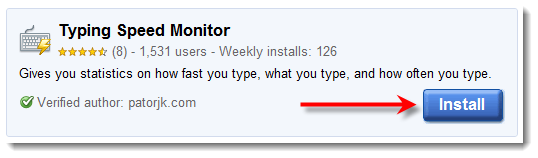
Installation process is simple and straightforward. Click on the Install button and it will install the extension for you. Once the extension is installed it will show a keyboard icon right next to the address bar.
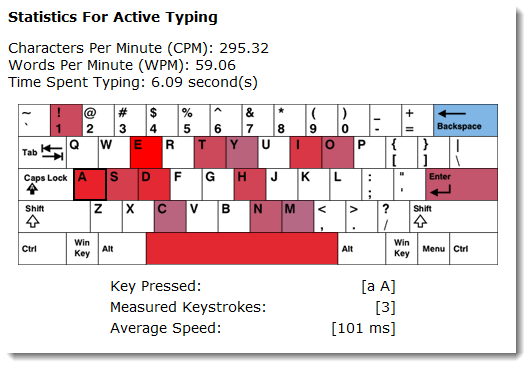
The extensions will show on-screen visualization of keyboard with the alphabets you used the most in the past. You can even get more information about specific keys you pressed, how many words/characters you would right, what was your average speed and so on.
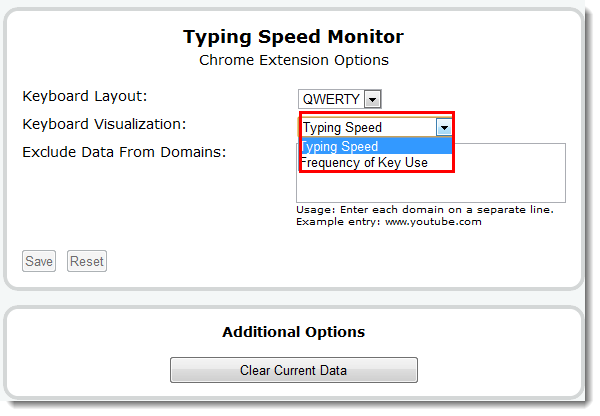
You can even change the keyboard layout and visualizations as well by going to the extensions options. You can change it to the number of times a specific key has been pressed or the typing speed. You can even exclude specific domains from Typing Speed monitor.
Typing Speed Monitor is a very useful extension for all those who want to improve their typing speed.
We use cookies to ensure that we give you the best experience on our website. If you continue to use this site we will assume that you are happy with it.OkPrivacy policy