Browsing articles tagged with "password Archives - Techtites"
May
31
2013

LinkedIn adds Two Step Verification

LinkedIn Two Step Verification

LinkedIn is without doubt the key social network for business professionals. A few months back 6.5 million members had their passwords compromised and LinkedIn was quick to take action. The company has gone yet another step in securing its network by adding two-step verification for all accounts. You don’t have an app currently for the second step to generate the number, but you will receive a text message instead with this. How to enable two-step verification on LinkedIn Visit your Settings page. You’ll be asked to sign in. Select your Accounts tab and then Manage security settings Under Two-step verification…

Read the rest of this post…

Jun
7
2012

Have you changed your Linkedin password yet?

By now, most the WWW is abuzz with the security compromise at Linkedin. It is good to note that the team at Linkedin have been quick to respond and have blocked all the compromised accounts requiring you to reset your Linkedin password. Affected users have also been informed by email. Note that the email has no links in it. Visit the Linkedin website directly to change your password. If you receive an email saying it is from Linkedin asking you to change the password which has a link, be careful. It might be a phishing email. LastPass has created a…
Read the rest of this post…

Mar
10
2009

Recover Wireless Passwords with WirelessKeyView

Do you often connect to secured wireless networks? And, have you ever lost the password / key for the network? Don’t panic. WirelessKeyView recovers all wireless network keys/passwords (WEP/WPA) stored in your computer by the ‘Wireless Zero Configuration’ service of Windows XP and by the ‘WLAN AutoConfig’ service of Windows Vista. It allows you to easily save all keys to text/html/xml file, or copy a single key to the clipboard. WirelessKeyView doesn’t even require installation. You can dump it on a portable drive and carry it around with you. Using WKV is extremely simple as well. All you need to…

Read the rest of this post…

Jan
20
2009

Recover MS Word and MS Excel password Easily

free-word-excel-password-recovery

If you have lost your password for any MS Word or Excel document and are unable to recover it, try using this Free Word / Excel Password Recovery application. It’s a freeware product and all you need to do is install it, open the file that you need to recover. Choose the character set “a to z” and the expected lenght of your password and click GO. It will than try every possible combination that matches your password.  It might take a bit time depending on the characters and length of your password, the larger the character set, the longer…

Read the rest of this post…

Jan
5
2009

Twitter Phishing Scam now becomes Facebook Phishing Scam

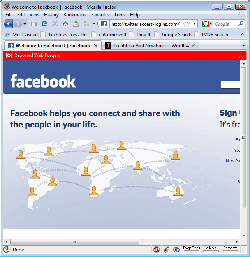
The Twitter Blog reported last week that people are receiving emails which contain links to a phishing site asking you to enter your login details. I decided to check it out today and was surpised to see that the entire twitter interface has been converted to that of Facebook, which means that they are now getting ready for a Facebook phishing scam! Good news is that Internet Explorer (with Website Checking Enabled), Firefox 3 (Firefox 2 did not block the site) and Google Chrome all display big warnings. So, if you are using any of these browsers, then you will…

Read the rest of this post…

Oct
16
2008

Excel Password Remover 2008 (Tool Thursday)

If you’ve forgotten the password to edit the Excel file Excel Password Remover 2008 can come to your rescue. Excel Password Remover is a FREE Excel add-in that removes/cracks sheet and workbook password protection in Excel®. This program will remove passwords of any length, also passwords containing special characters. However, it can’t remove file protection. Which means that you should be able to open up the Excel file whose password you need to remove. Download password.xla zipped: password.zip

Sep
16
2008

Androsa FileProtector (Tool Tuesday)

Androsa FileProtector is a professional and freeware file encryption software that protects any type of file encrypting completely the content with the most advanced systems of cryptography. Androsa FileProtector allows to put to the sure sensitive file or personal file that do not have to be used/viewed from people not authorized that they have logging to the PC and/or to the files. Features: Create a self-decrypting archive Compression before decrypting AES – 256 bit / 192 bit / 128 bi, TripleDES 192 bit, DES 64 bit encryption Password protect with up to 32 characters Securely delete files Integration with Windows…

Read the rest of this post…