Browsing articles tagged with "microsoft excel Archives - Techtites"
Sep
18
2008

Goal Seek in Microsoft Excel

Continuing with our Excel Tutorials, in this article, I’ll take you through using Goal Seek in Microsoft Excel 2007. The function is same as that of earlier versions of Excel as well as Excel 2010. The screenshots below are taken in 2007. Goal Seek is yet another What-If Analysis Tool that comes inbuilt in Excel. Unlike data tables, which allow to change one or more variables to find how the output varies, goal seek allows you to “set” the value of the output at a particular value and find out what value of the input variable achieves that output. For…

Read the rest of this post…

Sep
11
2008

Two Variable Data Tables in Microsoft Excel Tutorial

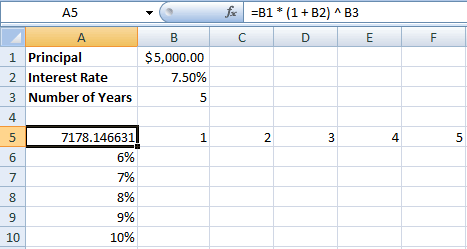
Three weeks back I covered creating Single Variable Data Tables in Excel. As promised, in this tutorial I will cover creating a two variable data table. This tutorial assumes that you have read the earlier one and are comfortable with creating a single variable data table. Create a new excel file as shown in the screenshot above. In cell A5, enter the formula =B1 * (1 + B2) ^ B3. As you can see, the $5000 invested at 7.5% for 5 years will give $7,178.15. A two variable data table gives you results by varying two different variables in the…
Read the rest of this post…

Aug
21
2008

Data Tables in Excel tutorial

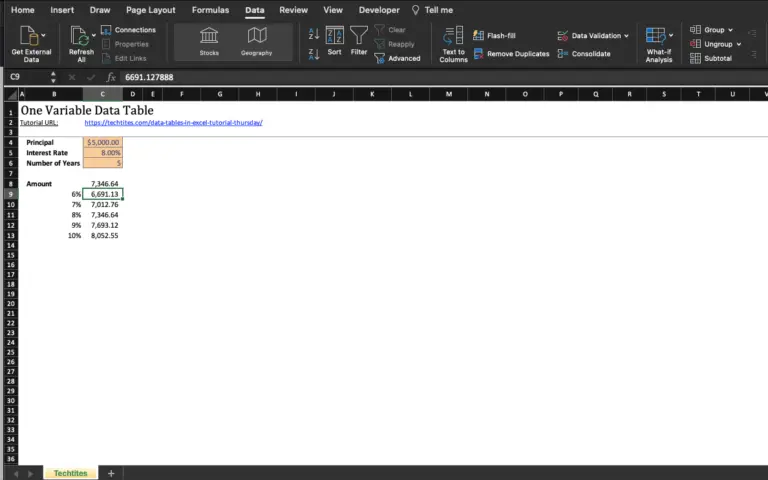
In my last Excel Tutorial, I covered using SUMIFS and SUMPRODUCT. Data Tables is also an advanced topic in Microsoft Excel that falls under the category of What-If Analysis. What-If or Sensitivity Analysis is carried out to study the variation of the output to changes in the input variable. Consider a case of compound interest, where you invest a certain amount of money in a bank deposit and the amount is compounded every year. Formula for calculating compound interest: A = P * (1 + r/n) ^ nt Where: P = principal amount (initial investment) r = annual interest rate…

Read the rest of this post…