Browsing articles in "WordPress"
Mar
18
2013

On-Page SEO Checklist for WordPress Blogs

On-page SEO for WordPress

Today in the world of competition, it’s very difficult to beat someone without using resources like money, man power and skills. The field of blogging is also just like practical world where everyone want to be on top of the list and want to earn more than others. The methodology of competition goes on and with the passage of time you’ll see an increase in competitors and ratio of increasing competition is higher than decreasing. Blogging is good running business from past five years and now a day there is so much competition in this business also. The bad thing…

Read the rest of this post…

Jan
23
2013

How to create CSS3 animated buttons in WordPress

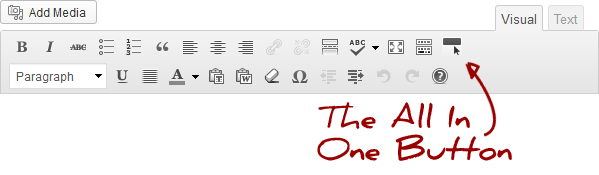
All in One Buttons

I remember when I first started working with websites more than a decade ago, if you wanted a cool looking button in your form, you had to use images. Images still remain an option but with CSS this has is being gradually phased out. CSS3 completely eliminates the need for images for creating basic good looking designs. And, buttons are one such design that you can cleanly replace with CSS3. One definite plus for this is that you reduce the file size of your pages. If you’re looking to include CSS3 animated buttons in WordPress, look no further than All…

Read the rest of this post…

Dec
12
2012

WordPress Plugins to backup your site to Google Drive

WordPress

Google Drive offers you up to 5Gb free space for storage. I currently have most of that vacant since I have my important files backed up on Dropbox and Mozy. Hence have been considering of using this free space to save remote backups of my sites. Thanks to the plug ‘n’ play power of WordPress, backing up your blog directly to Google Drive requires just one of these three plugins. UpdraftPlus Backup UpdraftPlus simplifies backups (and restoration). Backup into the cloud (Amazon S3, Google Drive, FTP, and email) and restore with a single click. Backups of files and database can…

Read the rest of this post…

Dec
11
2012

WordPress 3.5 ‘Elvin’ available for download

WordPress media manager

After several weeks of testing and a few RC versions, the WordPress team officially released WordPress 3.5. Labelled Elvin, this is a major release of everyone’s favourite blogging platform. Elvin boasts of a brand new media manager, a new theme (Twenty Twelve), a retina ready layout (for those of you with retina screens), a new colour picker amongst hundreds of other tiny changes. You already have a few articles floating out there that highlights in detail what’s new in WordPress 3.5: Technosailor’s 10 things you need to know about WordPress 3.5 One Extra Pixel’s What’s New in WordPress 3.5: The…

Read the rest of this post…

Dec
5
2012

Start coding your WordPress theme with Bones

Bones WordPress Theme

Last week, I pointed you towards Constellation, which  is an HTML5 based starter theme for WordPress. Another similar bare bones theme that you can use as your starter is called Bones. Bones is also HTML5 starter theme that is powered by HTML5 Boilerplate. It includes several features and ready made code for you to base your new WordPress theme on. The theme comes inbuilt with support for LESS / Sass that lets you right clean style code. And, is also well compatible with mobile browsers. Custom Post Types & Custom Dashboard Functions are preloaded in well documented examples should you…

Read the rest of this post…

Nov
28
2012

Begin coding your HTML5 theme with Constellation

Constellation WordPress Theme

A few weeks back we highlighted a cool plugin to help you code your own. The WordPress repository has a tonne of themes available for you to download. However, if you’re looking to create your very own theme you’re better off starting with Constellation. The Constellation theme is the perfect starting point for any WordPress project. It gives you the flexibility to provide bespoke styles for different devices, totally up-to-date HTML5 code which is fantastic for SEO, a flexible grid system on top of all the other goodness bundled in to the HTML5 boiler plate. Key features: HTML5 Boiler Plate…

Read the rest of this post…

Nov
14
2012

Super charge your WordPress pages with Advanced Page Manager

Advanced Page Manager

WordPress’ support for posts is phenomenal. However, when it comes to managing pages, this is very limited. This is possibly because pages are relatively static and are more to add on permanent sections to your site like Contact forms or download areas like we do here at Techtites. However, if you are using WordPress as a full fledged CMS, you might need more than just what WordPress has on offer. Enter Advanced Page Manager. Developed by Uncategorized Creations, the plugin adds a ton of features that help you manage your WordPress pages better.  Features include: Arrange pages into a tree…

Read the rest of this post…

Sep
26
2012

Begin coding your first WordPress Plugin with DX Plugin Base

DX Plugin Base

If you’re thinking of getting into WordPress plugin development, I suggest reading this article on webdesigner depot. It gives you a basic idea on creating the directory structure and adding in your first snippets of code. When you’re ready to take it to the next stage, you might want to consider Mario‘s DX Plugin Base. This is a sample skeleton base plugin for WordPress developers. The plugin includes the following code samples: defining custom post types and taxonomies creating admin pages sample code of the Settings API implementation for admin pages registration of activate/deactivate hooks adding metaboxes on pages creating…

Read the rest of this post…

Sep
12
2012

How to fix Contact Form 7 errors

Contact Form 7 errors

I’ve been using Contact Form 7 on all my WordPress blogs for a long time. Contact Form 7 can manage multiple contact forms, plus you can customize the form and the mail contents flexibly with simple markup. The form supports Ajax-powered submitting, CAPTCHA, Akismet spam filtering and so on. I love the flexibility that Contact Form 7 offers in creating your own contact form. You can choose which form fields you want to add, which ones should be set to required. And, you can also allow your visitors to send you attachments. The spam filtering is pretty good and I’ve…

Read the rest of this post…

Aug
15
2012

Create a mobile version of your blog with WPtouch

WPtouch

Around 10% of the visitors across my various blogs are mobile users. The foray of smart phones has given just about anybody the ability to visit your site through their iPhone or Blackberry or Samsung or…[fill your favourite smart phone name here]. Hence, creating a comfortable experience for your mobile visitors should be considered an important priority, just as you would make your site look good in a desktop browser. If you’re running a WordPress blog, then WPtouch makes this easy for you. WPtouch automatically transforms your WordPress website into an application-like theme, complete with ajax loading articles and effects…

Read the rest of this post…

Pages:«1234567...19»