Browsing articles in "Utilities"
Oct
30
2012

Speed up your typing tasks with PhraseExpress

PhraseExpress

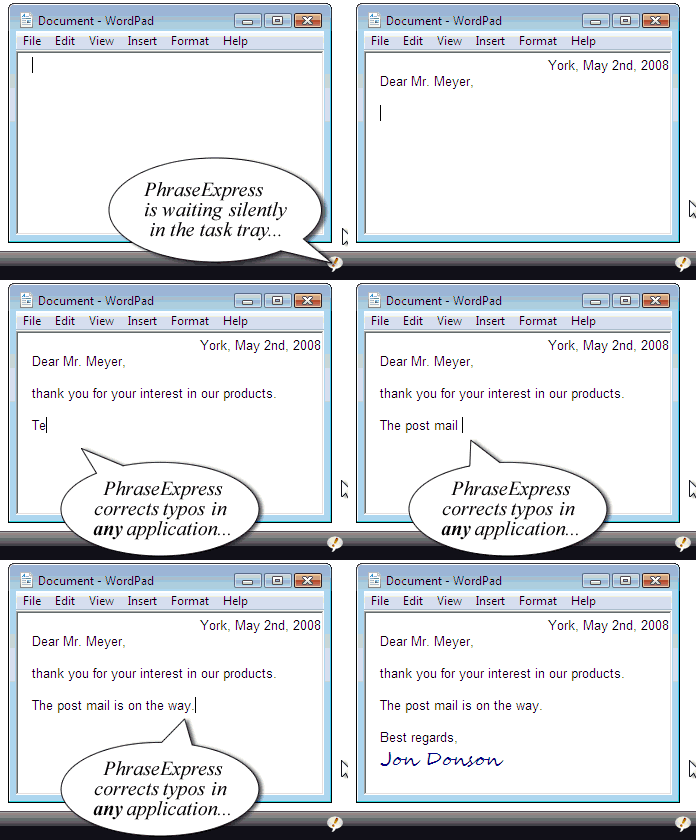
If you’re regularly blogging, or even just writing, it is important to maximise your speed of typing. Learning touch typing is an important step towards improving productivity. However, if you’re not an expert at touch typing, or would like to speed up still further, then using an autotext software is a very good solution. PhraseExpress, the Text Expander for Windows, helps you to speed up your typing tasks in any editor by saving lots of keystrokes. It is ideal for people who are continually typing the same things over and over, reducing the time spent typing and minimising spelling mistakes….

Read the rest of this post…

Oct
19
2012

Fixing Windows 7 Disk Errors

Windows 7 Check Disk

Disk errors plague virtually every Windows user at one time or another. These errors can show up in just about any stage of usage. Sometimes this can be something as simple as a bad connection. In these cases you can either reseat the hard drive (i.e. disconnect and reconnect the hard drive properly), or simply replace the hard drive entirely. In many cases, however, you may need to go into the disk system and check for specific errors. Odds are, like the majority of Windows users, you’re not an IT wizard, so you can’t just go into your system, look…

Read the rest of this post…

Oct
4
2012

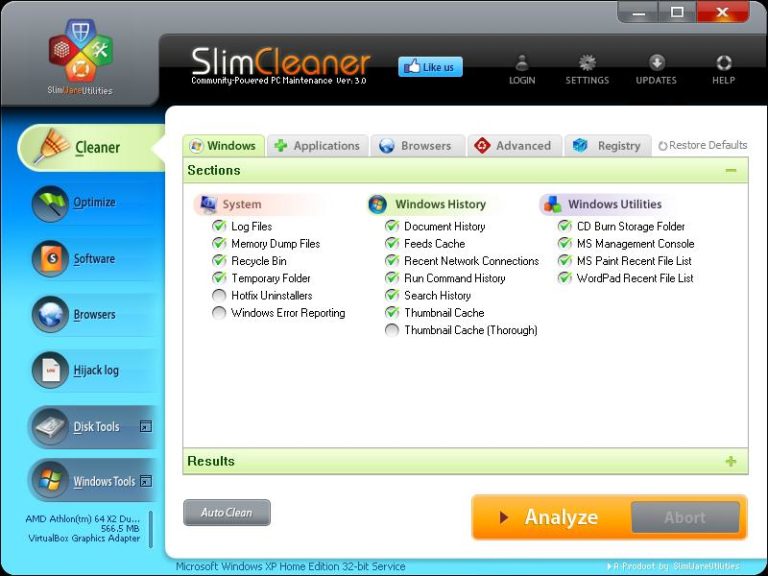
Clean and optimise your machine with SlimCleaner

SlimCleaner

There are several free and paid cleaning tools available for your Windows PC. CCleaner is probably the most famous of them all. SlimCleaner is the world’s first software that lets you clean and optimize Windows systems using a crowd-sourced approach. SlimCleaner uses aggregated-cloud feedback to recommend optimal settings for programs, start-ups and services. SlimCleaner uses what’s called “authoritative ranking” to ensure that the ratings for your programs are accurate and that they reflect what people really think. It works by weighing the ratings of each contributor against their previous levels of accuracy and against the ratings of high-ranking users. Features…

Read the rest of this post…

Sep
17
2012

What’s Your Computer Disaster Plan?

So you're telling me That I can protect my data

Sad, but true: If you spend a lot of time on your computer, there’s no doubt that you’ll experience data storage problems at some point, whether it’s a mechanical failure or a failure on your part. In this increasingly digital world, data is becoming the most important thing you can create. When that data – personal, financial or otherwise – is lost, by golly you need to get it back. These bits and bytes that make up your data should be your top priority as you begin setting up your protective strategies. Remember that applications and operating systems can be reinstalled,…

Read the rest of this post…

Sep
7
2012

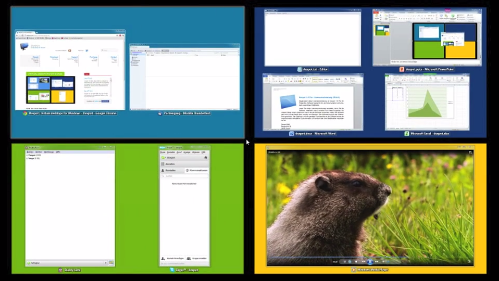
Dexpot releases new version with Windows 8 support

Dexpot

One feature that has remained lacking in Windows is multiple virtual desktops which are easy to use and customisable. Dexpot brings this much needed feature to all Windows machine with the latest version including support for Windows 8. Dexpot brings to you several features that truly enhance your Windows experience. Many of these features replicate the look and feel of Mac OSX Lion and Mountain Lion. Key features include: Full-screen preview is an interactive live overview of all desktops which allows you to windows to other desktops by simply dragging them with your mouse View all your windows as tiles…

Read the rest of this post…

May
31
2012

Quickly change your DNS servers with Public DNS Server Tool

Even though you may have a high speed broadband connection, you’d still want to squeeze out some extra juice from it, especially when browsing websites. Switching to a public DNS instead of your ISPs DNS can be extremely useful in achieving this target. As the Google Public DNS website explains some reasons to switch: Provide end users with an alternative to their current DNS service. Google Public DNS takes some new approaches that we believe offer more valid results, increased security, and, in most cases, better performance. Help reduce the load on ISPs’ DNS servers. By taking advantage of our global data-center…

Read the rest of this post…

May
28
2012

7 free applications to prevent your Mac from sleeping

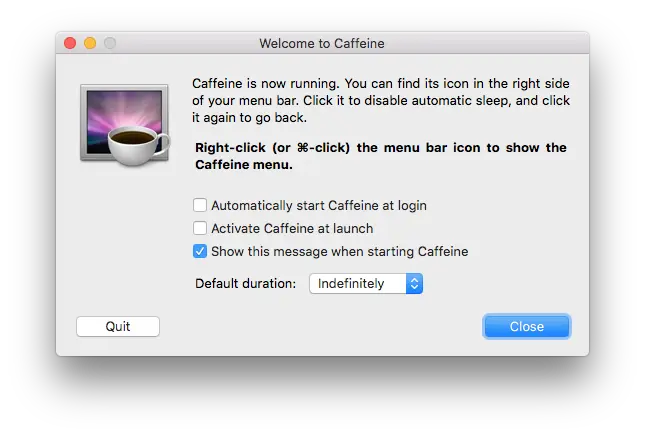
When it comes to power management, the Mac far excels any of the PCs. I have my Mac configured such that it goes to sleep within 30 minutes of it being idle. unfortunately this tends to disrupt my downloads and also prevents me from remote logging in whenever I want to. I’ve been hunting for a good application that keeps my Mac from falling asleep. Before you proceed with installing a new utility, keep in mind that preventing you Mac from sleeping has to be done with care, especially when the lid is closed. This can cause your Mac to…

Read the rest of this post…

May
7
2012

Keep your Mac running smoothly with CleanGenius – Win a copy here!

A few months back I purchased a MacBook Pro. Over the past few months, I have been gradually familiarising myself with the operating system and the features it has to offer. Like any other computer operating system, the Mac OS X needs regular cleaning, both on the inside and the outside. One extremely powerful utility that allows you to keep your computer running smoothly is CleanGenius. EaseUS CleanGenius is an all-in-one and easy-to-use Mac maintenance utility to make your Mac OS run faster and perform better. It offers multiple ways to free up the disk space overall along with other…

Read the rest of this post…

Apr
6
2010

Enhance your Windows shell with SecondShell

Windows is powerful, but then we all crave for more power. SecondShell is a free portable software, providing useful enhancements for the Windows shell with some extra help to netbook users. Key features: Maximize windows Horizontally or Vertically Move and resize windows easily Minimize and close applications easily Use up to 10 custom hotkeys to launch your frequently used application Change the CapsLock button into middle mouse button The best part of this is that the software is portable, which means you just need to unzip it to a particular folder and run it. Download SecondShell

Jan
5
2010

Quickly fix Windows 7 problems with 7 Quick Fix

If you’re using Windows and not running a good antivirus, then you have a high probability of getting your computer infected. While you may be able to disinfect your computer at a later date, some virii can mess up a lot of settings that your antivirus can’t fix. Or, maybe you’re just looking to tweak a few settings in your Windows 7 installation. Like its successful predecessor “XP Quick Fix Plus“, 7 Quick Fix is a simple, fast and efficient click and fix tool. Features: Includes 21 common Windows 7 fixes Only 472kb Portable with no install just click and…

Read the rest of this post…

Pages:123456789»