Browsing articles from "December, 2009"
Dec
31
2009

TorrentMagnifier: Search And Download Torrents From Your Desktop

torrentmagnifier

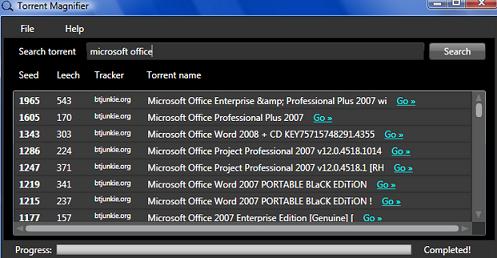
Torrents are a great peer-to-peer file sharing method which has increasingly become popular over the recent years. Recognizing how much users like torrents and prefer them over other peer-to-peer exchange methods, developers are constantly creating torrent related applications to facilitate the torrent users. Today we will be exploring TorrentMagnifier which is website providing three simple ways to make torrent searching faster and more convenient. TorrentMagnifier is a website that provides three torrent related tools for free. These tools include a desktop application, a sidebar gadget for Windows Vista and 7, and an accelerator search engine for Internet Explorer 8. All…
Read the rest of this post…

Dec
27
2009

How To Replace Chrome New tab With Your Predefined Visual Bookmarks

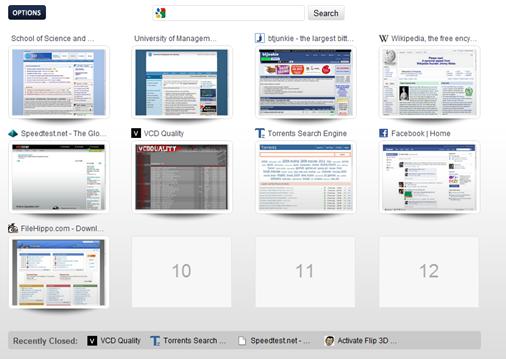
Google Chrome is a great internet browser. It provides its users with wonderful speed and awesome functionality while using the minimum resources possible of our computer. However like all other leading browsers (such as Firefox) there are areas in Chrome which have a considerable room for improvement. And that is where its extensions come in handy. As for Firefox, developers are now constantly creating extensions and add-ons from Chrome which build upon its functions, sometimes improving them, other times introducing newer functions. Today we will be exploring a Chrome extension which introduces a feature within Chrome which all browsers should…

Read the rest of this post…

Dec
27
2009

WordPress Picks for the Week [12/27]

WP 2.9: three bugs, and how to fix them WordPress 2.9, IMO, was released too quickly and is still rather buggy. There are some rather unnecessary requirements like “enabling” the post thumbnails before they work. However, major issues are the breaking of RSS widgets and more importantly the failing of the cron. I’ve had this problem when scheduling posts, and it is simply frustrating! Anyway, the link above has a set of files that will patch these errors. So, give this a shot until WP2.9.1 is released. Optimize Syndication Frequenzy Two simple pieces of code that allows you change the…

Read the rest of this post…

Dec
26
2009

5 Useful Websites To Send Large Files Over the Internet

File hosting enables us to share files with our recipients which are too large to email. While the overall concept of file hosting is ideal, the practicality often proves to be a menace. With slow upload and download speeds, most file hosting sites are more frustrating than beneficial. Slow speeds are sometimes accompanied with file size limits which do not offer immensely large files to be uploaded. One needs to know what the best file hosting websites are to save time and future frustration. The following five websites are good sources of file hosting and should be looked into if…

Read the rest of this post…

Dec
25
2009

Autocomplete Me brings you funny autosuggestions from Google

Have you heard of a five-legged reindeer called Rudolf or has Tiger Woods replaced Santa Claus? Well, I haven’t but Google sure has. At least according to its auto-suggest feature. Autocomplete Me tries to collect some of the funny auto-suggestions given by Google. Most of the site is driven by user submissions and though the site is only a few months old, it has been steadily gaining popularity. Worth the read or worth subscribing for the occasional laugh!

Dec
23
2009

3 Websites to Automatically Reload Web Pages

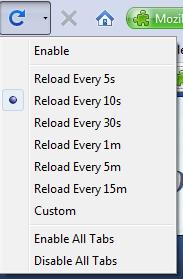
Sometime we need the webpages we are viewing to be refreshed regularly. One example could be posting on an active forum and being eager to read the response to your post. Another situation where you might want the page to refresh regularly is while you are using your social networking account – a situation when you would like to be instantly aware of any notifications. Website owners might want the latest traffic statistics of their site – another reason to keep refreshing the page showing the stats. Below we have listed three tools which will greatly help you in similar…

Read the rest of this post…

Dec
20
2009

WordPress Picks for the week [12/20]

WordPress 2.9 “Carmen” is out You can upload from within your WordPress admin itself. New features include: Global undo/”trash” feature, which means that if you accidentally delete a post or comment you can bring it back from the grave (i.e., the Trash). This also eliminates those annoying “are you sure” messages we used to have on every delete. Built-in image editor allows you to crop, edit, rotate, flip, and scale your images to show them who’s boss. This is the first wave of our many planned media-handling improvements. Batch plugin update and compatibility checking, which means you can update 10…

Read the rest of this post…

Dec
20
2009

Transfer Bookmarks From One Browser To The Next

With such an impressive array of browsers to choose from nowadays, it is not uncommon to work with multiple internet browsers on our computers. The biggest challenge a user faces in switching back and forth from web browsers is to export and import the settings. By settings, we mainly mean bookmarks (or favorites, if you are an Internet Explorer user). The traditional way of course is to export your bookmarks into a file through browser number 1, and then open browser number 2 and import the bookmarks from the previously saved file. But with the amazing browser add-on Xmarks, we…

Read the rest of this post…

Dec
17
2009

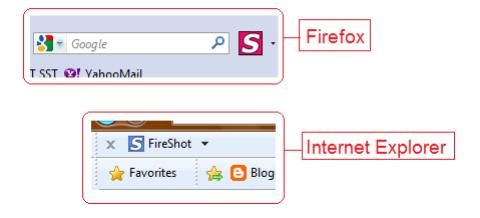
How To Take Full Screenshot of Web Pages in Firefox & IE

Bloggers know that while reviewing sites, screenshots are highly useful in giving references. Instead of typing “click on the little OK button towards the top right of the screen” one can easily take a screenshot and show the readers what exactly is being written about. If you’re a professional blogger or have a similar job that requires you to take screenshots all the type, then the traditional method of pressing the ‘Print Screen’ key and then pasting the image in MsPaint might not suit you best. Sure that basic way doesn’t prove to be problematic while working with a few…

Read the rest of this post…

Dec
16
2009

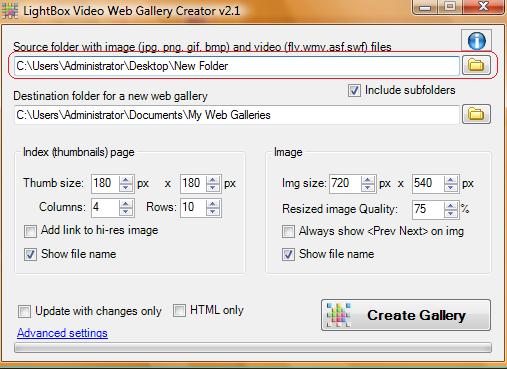
Create a collage of your photos with Photovisi

So, you’ve collected a whole bunch of photos. And, if you’re keen on viewing these photos regularly, you can set them as wallpapers and cycle them regularly. Or you can make a collage and view them all together. Photovisi is an online service that allows you to quickly create your collage. All you need to do is select a template that you would like to use and then upload your photos. You can upload up to 30 photos to add to you college, crop them to only select the portions you want and then save your collage. Photovisi also allows…

Read the rest of this post…

Pages:123»